
The Complete Guide to Hiring a Session Vocalist
What Files to Send a Session Vocalist
Chapter 5 of 7
Learn which files to send and how to organize them for a smoother process
8 minute read
Updated July 2026
Contents
The Instrumental Track
Vocal Guides (If You Have Them)
Lyrics
Tempo (BPM) & Song Key
Reference Tracks
Creative Notes
Song Structure
How to Send Your Files
Organize & Name Your Files Clearly
What Files to Send a Session Vocalist
Once you've booked your session vocalist, one of the first questions is usually:
"What files do you need from me?"
The good news is that you don't need a perfectly organized studio session to get started. Whether you're working with a rough demo or a nearly finished production, providing a few key files helps the vocalist understand your vision and keeps the project moving smoothly.
Here's what you should have ready before recording begins.
1. The Instrumental Track
The most important file you'll send is the instrumental.
This is the version of the song without vocals so the session vocalist has a clean foundation to record over.
If possible, leave a few decibels of headroom on your instrumental. Avoid heavy limiting or clipping on the master, as it gives the vocalist a cleaner track to record to and makes the final mix easier for your producer
Whenever possible, export the instrumental as a high-quality WAV file. While MP3s can work in some situations, WAV files provide better audio quality and makes it easier to hear the details of the mix.
If you don't have a finished instrumental yet, don't worry. Many session vocalists can still work from a demo as long as it's clear enough to understand the arrangement.
2. Vocal Guides (If You Have Them)
Vocal guides aren't required, but they're incredibly helpful.
You don't need to be a great singer to record a vocal guide. The vocalist does not judge your guide. They're listening for the melody, rhythm, phrasing and the overall direction you have in mind. I've worked with many musicians who simply send a whispered vocal guide. Those can also provide what their creative vision is.
Even a simple phone recording or rough demo can communicate things like:
Melody ideas
Vocal rhythm
Lyric placement
Song structure
General energy
Think of a vocal guide as a blueprint rather than the finished product.
3. Lyrics
If the lyrics are already written, include them in a text document or PDF.
Having the lyrics separate from the audio makes it much easier for the vocalist to follow along during recording.
If you haven't written the lyrics yet and your vocalist also offers lyric writing or vocal arrangement, this is something you'll discuss together before recording begins.
4. Tempo (BPM) & Song Key
Including the tempo (BPM) is one of the simplest ways to help your vocalist stay organized.
If you know the song key, include that as well.
While many experienced vocalists can figure these things out by ear if necessary, having the information upfront saves time and eliminates unnecessary guesswork.
5. Reference Tracks
One of the most helpful things you can send isn't even your own music.
Reference tracks give the vocalist a better understanding of the sound you're trying to achieve.
Maybe you like:
The emotion of one vocalist
The aggression of another
The vocal layering in a specific chorus
The atmosphere of a certain record
Reference songs aren't there to be copied. They simply provide creative direction and help everyone stay on the same page.
6. Creative Notes
Every artist has a slightly different vision.
If there are certain sections that are especially important to you, let your vocalist know.
For example:
"I'd like this chorus to feel bigger than the verses."
"This breakdown should sound raw and aggressive."
"I'd like the bridge to build emotionally before the final chorus."
Small notes like these can go a long way toward creating a performance that matches what you hear in your head.
7. Song Structure
Before sending your files, take a minute to make sure everything is clearly labeled. File names like PaleDecay_Instrumental.wav or PaleDecay_VocalGuide.wav are much easier to navigate than names like Mix Final 2.wav or Audio001.wav. Clear naming helps your vocalist find what they need immediately and avoids unnecessary back-and-forth.
Once everything is ready, you'll need a way to share it.
For smaller projects, email attachments may be enough.
For larger sessions or high-quality WAV files, most artists use cloud storage services such as:
Google Drive
Dropbox
WeTransfer
OneDrive
These services make it easy to upload larger files without reducing audio quality.
8. How to Send Your Files
If your project includes repeats, alternate endings, tempo changes, or unusual song structures, it's helpful to mention those before recording starts.
While most vocalists can figure these things out while listening, pointing them out ahead of time helps avoid confusion later.
The more organized the information is, the smoother the collaboration tends to be.
Final Thoughts
Preparing your files before the project begins helps create a smoother experience for everyone.
The more information your vocalist has upfront, the easier it is to understand your vision and deliver a performance that fits your song.
Don't worry if you don't have every single item on the list. Most session vocalists regularly work with projects at different stages of completion and can guide you through anything that's missing.
Good preparation doesn't just save time, it helps create better music.
Final Thoughts
About the Author
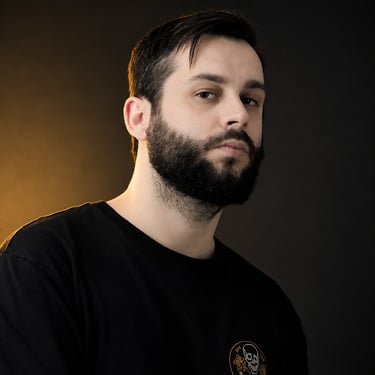
Anthony Blake
Professional Session Vocalist
Metalcore • Post-Hardcore • Modern Heavy Music
Anthony Blake is a professional session vocalist specializing in metalcore, post-hardcore, and other heavy music. With a decade of experience collaborating with artists all over the world, he provides screaming vocals, clean vocals, lyric writing, and vocal arrangement for independent and label projects. Through this Journal, he shares practical insights and real-world experience to help musicians create better songs and navigate the remote collaboration process with ease.
STAY CONNECTED